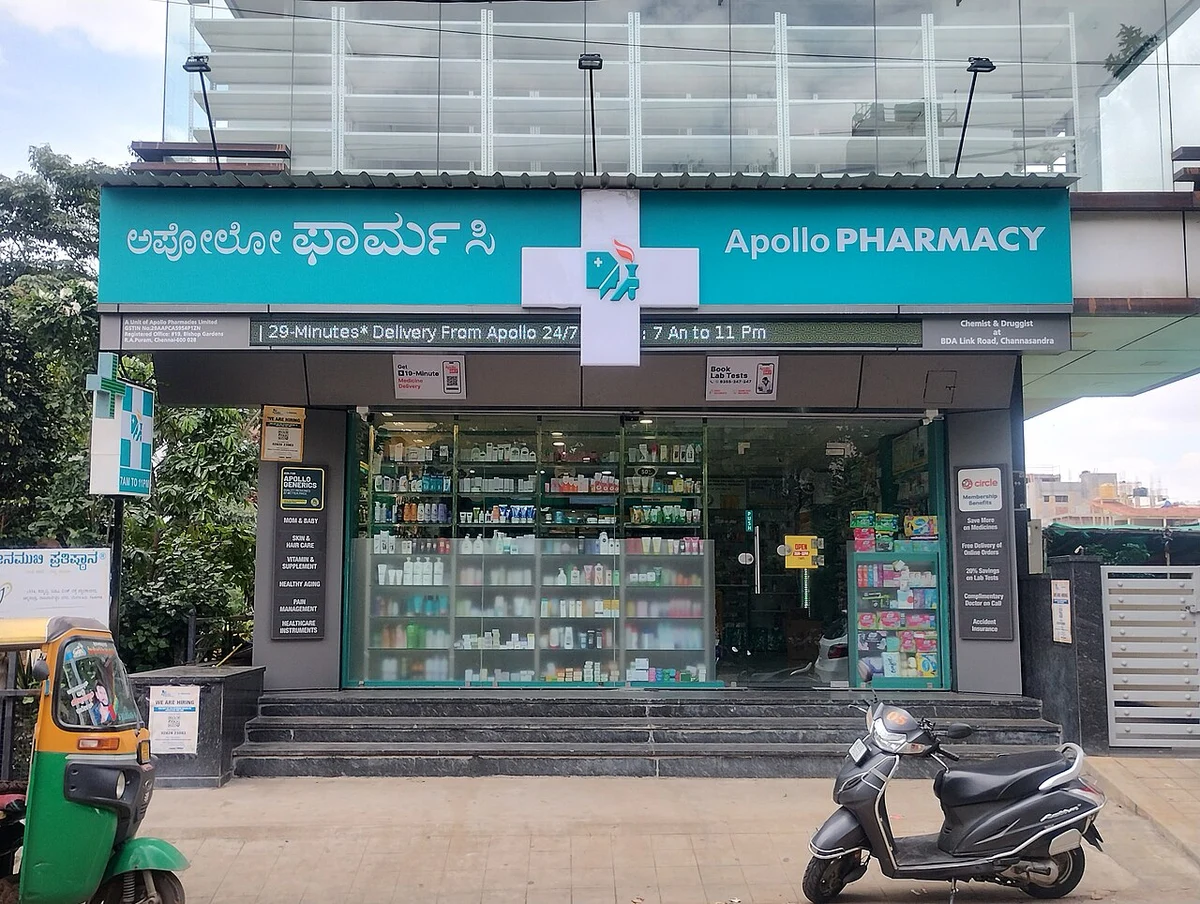
Choose a branch visit, delivery or pickup
Use Apollo Pharmacy’s store locator for a branch visit, and check your address in the online ordering channel for delivery within India. For an item marked Rx, submit a prescription for Apollo to review and keep the original available for delivery or pickup.
Apollo Pharmacies Limited operates the pharmacy site and says products are sold through its licensed premises. The store locator shows physical branches, while the online ordering channel handles the delivery check and order status. A branch listing gives you a place to visit or call. Delivery to your address, availability of the specific item and eligibility to collect an online order each need their own confirmation.
If you plan to pick up an order, look for confirmation that collection is available for that order and identify the branch attached to it. A locator result can help you find the branch and check its displayed hours. If the order information leaves the collection location unclear, raise that with online order support before travelling. Take the original prescription when the order requires one.
Start with the action you need to complete. Search by city or branch when you can visit a store. Start with the delivery address when you need the items sent to you. Once you have placed an order, start from that order’s record so you can see its status and ask about the correct transaction.
| What you need | Where to check | What to confirm |
|---|---|---|
| Visit a branch | Official store locator and branch card | Address and hours for the day of the visit |
| Buy an item at a branch | Search Medicine Availability or the branch phone number | Exact strength, form and pack at that branch |
| Get doorstep delivery | Online ordering channel | Serviceability for the delivery address and the order estimate |
| Collect an online order | Order details or online support | Pickup eligibility and collection branch |
| Resolve an order issue | My Orders and online help | Order status, item eligibility and any evidence requested |
Find a branch and check its hours and stock
Browse by city in Apollo’s official locator, then open the branch card to check the neighbourhood, PIN code and directions. Apollo offers an Open Now filter and branch-specific call and directions actions. Use Open Now to narrow your search for an immediate visit. For a visit later in the day, read the hours on the branch card and call if a closing time or holiday schedule would affect the trip.
In Bengaluru, Apollo’s cards for Pipeline Road in Mallasandra, 560057, and Marriyappanapalya, 560056, both show 7 a.m. to 11 p.m. In Chennai, the Menambedu 600053, Maduravoyal 600095 and Thoraipakkam 600097 cards each show 7 a.m. to 10 p.m. These are displayed hours for the named branches. For another location in either city, check its own card. If a midnight or noon entry is ambiguous, call the branch to confirm its opening and closing times.
Use Search Medicine Availability for a stock check or call the branch you intend to visit. Give the exact product name, strength, form and pack size, where applicable. An opening-hours result tells you when a branch is listed as open. A medicine search or a conversation with that branch answers a separate question about whether the item is available for purchase there.
Suppose you expect to reach Maduravoyal shortly before 10 p.m. and need one exact pack. The displayed closing time helps you judge whether the trip is plausible. A call to that branch can establish both whether it expects to be serving customers when you arrive and whether it has the pack. Use the directions from the same card so the hours, stock answer and destination all refer to one branch.
| Branch | City | PIN | Listed hours |
|---|---|---|---|
| Pipeline Road, Mallasandra | Bengaluru | 560057 | 7 a.m.–11 p.m. |
| Marriyappanapalya | Bengaluru | 560056 | 7 a.m.–11 p.m. |
| Menambedu | Chennai | 600053 | 7 a.m.–10 p.m. |
| Maduravoyal | Chennai | 600095 | 7 a.m.–10 p.m. |
| Thoraipakkam | Chennai | 600097 | 7 a.m.–10 p.m. |
Check delivery for the actual address and basket
Apollo’s delivery policy limits shipping destinations to India. The FAQ describes serviceable areas separately from the store directory. Check delivery using the intended destination in Apollo’s online ordering channel. A nearby store can give you a walk-in option, while the online serviceability check answers whether Apollo offers delivery to the address where you want to receive the order.
Keep track of what the site has confirmed at each stage. Finding a product in the catalogue confirms you have found a listing. The delivery check concerns the destination. Prescription review, where required, is another step before dispensing. When you have several items in your basket, check what Apollo is offering to supply for that address before you submit the order.
Apollo treats delivery times as best-effort estimates. Use the timing shown for the order you are placing, then refer to its tracking record for updates once the order exists. If a particular arrival time determines whether delivery works for you, compare the displayed estimate with the time you can receive it. For a possible store visit, confirm branch stock and hours before setting out.
Suppose you are ordering from a hotel for delivery before you check out. Enter the hotel as the delivery destination and assess the estimate against your departure time. If you can collect the item during your stay, check stock and hours at a branch you can reach. If you are looking to collect an order placed online, verify that Apollo offers pickup for that order and check where collection would take place.
Understand the Rx flag and prescription review
Apollo’s delivery policy broadly describes a valid prescription as mandatory for medicine orders and asks customers to have the original available at delivery or pickup. Its consumer FAQ gives more detail on how the catalogue handles prescriptions. Products marked Rx require a prescription for dispensing, and the FAQ describes an exception for over-the-counter products. Read those statements together when checking what Apollo requires for an order.
Check the exact product entry for the Rx flag and follow any prescription request in the order flow. If the catalogue and the order prompt leave the requirement unclear, ask Apollo about that specific listing. A similar name, a different strength or a previous purchase gives you little basis for inferring how Apollo will handle the item you are ordering now.
Apollo’s FAQ says you can submit a prescription from another provider through its upload tool for review. Use the upload route provided by the operator when the order calls for it. The upload submits the document for review, and the operator’s response tells you whether it can proceed. Keep the original accessible even after submitting the upload, since the delivery policy asks for it at handover or collection.
A mixed basket might contain an item clearly marked Rx and another listed as over the counter. The Rx item is the one for which you should expect the prescription requirement under the FAQ. If the order screen asks for a document and you cannot tell which listing triggered the request, ask online support to identify it. For questions about the prescription itself, speak to the prescribing clinician.
Apollo’s FAQ also contains a general reference to six months. For an older prescription, ask Apollo whether it can accept the document for the exact item and fulfilment channel. The FAQ wording describes the retailer’s published guidance and does not establish a universal legal validity period for prescriptions in India.
Track an order and check the cancellation stage
Apollo’s FAQ gives this tracking path for signed-in customers. Go to Buy Medicines, open My Orders, select the relevant order and choose Track Order. Use the order entry that matches the purchase you are checking. The route comes from the public FAQ, and the screens and status for your own order are available after sign-in.
Apollo’s cancellation policy distinguishes a request made before shipping from one made after dispatch. If you need to cancel, check the latest order status and use the cancellation or support option Apollo presents for that order. Once the parcel has shipped, the published policy points to the applicable returns terms and item conditions. Check those conditions before counting on an item being taken back.
Suppose you spot a duplicate purchase after placing two orders. Open each order separately and identify the one you intend to cancel. If one has already shipped, its return conditions may matter, while the other may still be at the pre-shipping cancellation stage. Check the status of the specific order before acting so you can keep the purchase you intended to make.
The original delivery estimate and the latest tracking status answer different questions. If the estimate passes and tracking gives you too little information to decide whether to keep waiting or request cancellation, contact online support from the order context. Have the order reference and current status available so support can identify the parcel and explain which options apply at that stage.
Report missing items, damage or payment problems
Apollo’s FAQ directs customers with missing items, damaged products or payment problems to online help. Open the affected order and identify what happened. For a missing item, specify the invoice line and quantity affected. For damage, identify the item and describe its condition when received. The FAQ says Apollo may ask for the invoice and item photos for some investigations, so keep those available where relevant.
Check the item’s returns flag when you want to send something back. If the problem is missing contents or damage, describe that issue in online help and follow the seller’s instructions for the case. Apollo handles any replacement or refund through that process. A general returns page does not establish a fixed window across purchases, so check the applicable item terms and any instructions the seller gives you.
For a payment problem, first check whether an order appears under My Orders and record any status you see. If there is an order entry, use it to identify the transaction in your enquiry. If you have a payment issue and no order entry appears, use the official online contact route and explain that you cannot find a corresponding order in your account.
Apollo lists contactusnow@apollopharmacy.org for online enquiries and customerservice@apollopharmacy.org for storefront enquiries. Check the official Contact Us page for the current contact details. To reach a specific shop about its stock, hours or directions, use the phone action on that shop’s locator card. For a problem arising from an online purchase, use the online help channel so the enquiry can be handled against the order.
India’s healthcare system, Ayushman Bharat and spendingNew India Assurance policies, version checks and claims routes
What the doorstep-delivery framework covers
The Government of India’s Gazette order G.S.R. 220(E), dated 26 March 2020, describes a doorstep-supply route for retailers holding the specified Form 20 or Form 21 licences. For Schedule H supply under that order, the framework includes conditions on receipt of the prescription and on supply within the same revenue district. The order excludes Schedule H1, Schedule X and controlled, narcotic and psychotropic categories from its stated doorstep framework.
The 94th Drugs Technical Advisory Board meeting minutes, dated 27 August 2026, record that the 2020 order was discussed and referred back to the relevant subcommittee for further consideration. To verify the framework’s current status, look for a later Gazette notification that expressly amends, replaces or rescinds G.S.R. 220(E). The minutes document deliberation and referral. A later official instrument is the source to check for any change to the order itself.
For an actual purchase, verify the exact item and destination with Apollo. Its India shipping policy establishes the country it serves. Its serviceability and prescription checks determine what the operator offers for the order in front of you. If delivery is unavailable, you can ask Apollo whether the item is available at a named branch and what documents it requires for a storefront purchase.
Sources
- Apollo Pharmacies Limited — Medicine Delivery and Cancellation Policy
- Apollo Pharmacy — public FAQ and channel instructions
- Apollo Pharmacy — official stores and public services
- Apollo Pharmacy — Bangalore store list
- Apollo Pharmacy — Chennai store list
- Apollo Pharmacy — official contact channels
- Government of India — Gazette G.S.R. 220(E), doorstep delivery of drugs by retail
- CDSCO — 94th Drugs Technical Advisory Board meeting minutes
- Gpkp — Apollo Pharmacy, RR Nagar, Bengaluru (2026) 01, Wikimedia Commons
- Apollo Pharmacy public service terms
