Choose the seller and the exact Lenovo part number
When buying a Lenovo laptop in India, compare the exact part number, the seller’s return terms and the warranty services included with that offer. Lenovo India’s direct sales terms govern its own orders, third-party sellers set their own return terms, and Lenovo’s warranty lookup shows the dates and coverage for an individual unit.
Start with the name that will appear on the invoice. Lenovo’s India site gives you a direct purchase route and a reference for the specifications and entitlements it lists for each part number. If you find the laptop at a store or through a marketplace, identify the business actually selling it and read the terms attached to that offer. On a marketplace, the seller name may be less prominent than the laptop name or the platform branding.
Lenovo’s directories serve different purposes. Use the exclusive store directory to find a listed Lenovo Exclusive Store. In the service and reseller locator, select Reseller when checking a purchase channel and Warranty and Support Provider when looking for a repair provider. A seller’s listing under one function gives you information about that function. Check the repair listing separately if access to a provider matters to you.
The part number is the most useful detail to compare across listings. Ask for the full code if an offer stops at a family name such as IdeaPad Slim 3 or ThinkPad E14. Compare the seller’s configuration and warranty description against the matching India product record, and save the offer details alongside the invoice or order confirmation. That gives you the wording to refer to if an expected service is missing from the device record later.
Compare two Lenovo India configurations
Two official India listings show how much the part number tells you. The IdeaPad Slim 3 Gen 8 AMD, part 82XQ01WDIN, lists a Ryzen 5 40, 8 GB of soldered LPDDR5 and a 512 GB SSD. The ThinkPad E14 Gen 8 AMD, part 21Y3S22600, lists a Ryzen AI 5 330, 16 GB of DDR5 SODIMM memory and a 512 GB SSD. Both listings state one year of on-site base warranty. The IdeaPad listing separately identifies a one-year accidental damage protection bundle.
| Model | India part number | Configuration | Published standard warranty | Accidental damage in listing | Official product |
|---|---|---|---|---|---|
| IdeaPad Slim 3 Gen 8 | 82XQ01WDIN | 8 GB soldered LPDDR5, 512 GB SSD, 15.6-inch FHD TN, Wi-Fi 6 | One year on-site | Separate one-year accidental damage protection included | Lenovo India IdeaPad exact part |
| ThinkPad E14 Gen 8 AMD | 21Y3S22600 | 16 GB DDR5 SODIMM, 512 GB SSD, 14-inch WUXGA IPS, Wi-Fi 7 | One year on-site | No accidental damage add-on shown in checked package | Lenovo India ThinkPad exact part |
Read the display size and panel type together. The IdeaPad gives you a larger measured diagonal, while the ThinkPad listing specifies a smaller WUXGA IPS panel. The memory comparison also goes beyond capacity. The IdeaPad memory is described as soldered and the ThinkPad memory as SODIMM. If future expansion matters, check the supported capacity and slot arrangement for the exact machine before budgeting for an upgrade.
The wireless specifications identify the adapters. The ThinkPad’s Wi-Fi 7 and 160 MHz entry gives you a compatibility detail to compare with the network hardware you expect to use. It supplies no measured broadband result for either laptop. For a purchase decision, check whether the display, memory or included services matter more to your work than the difference between the listed wireless standards.
If you are choosing a laptop for a shared desk and want spill cover, the IdeaPad’s listed bundle gives you a specific service to verify before checkout. If you also need 16 GB of listed memory for your workload, the ThinkPad starts at that capacity and you can ask for a quote that explicitly includes accidental damage protection. Compare each complete offer using its current price, stock status and delivery estimate.
Read the warranty and the damage plan separately
Read warranty duration, service method and covered event as separate details. One year tells you the listed duration. On-site identifies the listed service method for covered issues. The terms of the purchased service determine whether the problem qualifies and how service is provided at your location. For the two example models, the base warranty lines match on duration and method, while their listed inclusions differ.
Accidental damage protection has its own contract scope. The India addendum in Lenovo’s February 2026 Asia-Pacific PC Services Agreement specifies a maximum of one accidental repair claim per service-policy year where its Idea or Lenovo-branded non-Think notebook and tablet accidental damage terms apply. Exclusions still apply. Use that limit only after identifying the terms attached to the purchased entitlement.
For a laptop that suffers a second accident within the same policy year, the relevant question is whether an accidental repair claim has already been used under the applicable plan. A device can still be within its base warranty dates after it has reached the applicable accidental repair limit. Check the name of the service and the dates of its policy year before relying on an active warranty status to estimate what will be covered.
The same India addendum specifies 12 months for Lenovo batteries, styluses and digitizer pens supplied with notebooks or tablets. A main-device extension covers these items only where the terms say so. If battery or pen coverage is part of your reason for buying an extension, look for that item by name and compare its coverage period with the one shown for the laptop itself.
Handle a direct order delay, cancellation or delivery problem
Open the terms linked to your Lenovo India order as soon as a delivery problem appears. Section 16 of Lenovo’s India direct Terms of Sale describes a refund route for hardware failure within seven calendar days from delivery, with the failure certified by authorized personnel. That provision concerns a defined hardware failure. A change of mind, a missing item and visible damage each call for checking the terms that describe that event.
| Situation | Where to check | Scope of published terms |
|---|---|---|
| Change to an eligible ready-to-ship direct order | Lenovo order support | Direct terms describe a 24-hour cancellation request provision. |
| Change to a configured-to-order direct order | Order-linked sales terms | The published direct terms list no cancellation after confirmation. |
| Visible shortage, damage or dead on arrival | Lenovo direct support and the applicable order terms | A separate terms page calls for a report within 24 hours for these events. |
| Direct hardware failure after delivery | Lenovo support or authorized personnel | Direct sales terms describe certification and a refund route within seven calendar days of delivery. |
| Warranty or accidental damage report | Lenovo’s unit-specific warranty record | Exact purchased coverage, exclusions and timings control. |
| Purchase from a third party | Seller named on the invoice | Return terms apply through the applicable seller or platform. Manufacturer support is a separate question. |
A separate Lenovo India terms page states a 24-hour reporting deadline for visible shortage, damage or a unit that is dead on arrival. Because the published pages describe different events, use the order-linked terms and contact order support promptly when a problem is apparent at delivery. Keep the delivery date and time, the order number and a clear description of what arrived and what happened when you tried to use it.
Cancellation depends on the order type. The direct terms provide a 24-hour cancellation request provision for Ready-to-Ship orders. For Configured-to-Order orders, the terms state that cancellation is unavailable after placement. Check the order type before paying if you are still deciding between configurations. For an existing order, use Lenovo’s order support route for order lookup, cancellation or returns, and save any reference number you receive.
If a laptop ordered directly from Lenovo arrives with visible damage and fails to power on, report both observations promptly through order support. The visible damage and dead-on-arrival wording make the shorter published reporting window relevant to check. Ask how Lenovo wants the unit assessed and keep the original report with your order records so the timing and nature of the problem are traceable.
Check a third-party purchase and the unit’s warranty record
For a purchase from a retailer or marketplace seller, read that seller’s return terms before ordering. Look for the deadline, the available remedy and any documents or assessment the seller asks for when a laptop arrives faulty. Check the terms on the specific listing or order because that is the offer you will need to refer to if the laptop has to go back.
Once you have the unit, use Lenovo India’s Warranty Lookup to check its recorded coverage. Enter the serial number inside Lenovo’s own tool. Compare the dates and service names with your proof of purchase and the services shown in the offer. The public part number is useful for researching a configuration. The serial identifies the individual device whose warranty record you need to inspect.
Suppose a retailer’s invoice lists an accidental damage bundle and the device record shows only the base warranty. Keep a copy of the offer and the invoice, and ask the seller and Lenovo support to confirm which service was purchased and whether it is recorded against the device. If the laptop also has a delivery fault, report it to the seller within the applicable window while the coverage question is being checked.
If the warranty start or end date differs from what you expected, give Lenovo support the purchase date and proof of purchase and ask what dates apply to that unit. For a covered repair, use the Warranty and Support Provider option in Lenovo’s locator to find a provider and confirm it can handle the device and the relevant service.
Shopping platforms in India, returns, delivery and seller rules
Verify Indian service for an imported Lenovo laptop
For a Lenovo laptop bought outside India, establish the original purchase country, the exact configuration and the machine type before relying on service in India. Lenovo’s International Warranty Service FAQ says an eligible machine type must be sold and serviced in the destination. An Indian listing for a laptop with the same family name may help you find related products, but eligibility depends on the imported machine type and its applicable terms.
Use Lenovo’s Warranty & Repair information to check eligibility for India as the destination. Check the service method available there and whether any upgrade you are counting on is eligible locally. Both can differ by destination. Keep any services that influenced the purchase price in view, especially a support upgrade or an accidental damage plan purchased in the original market.
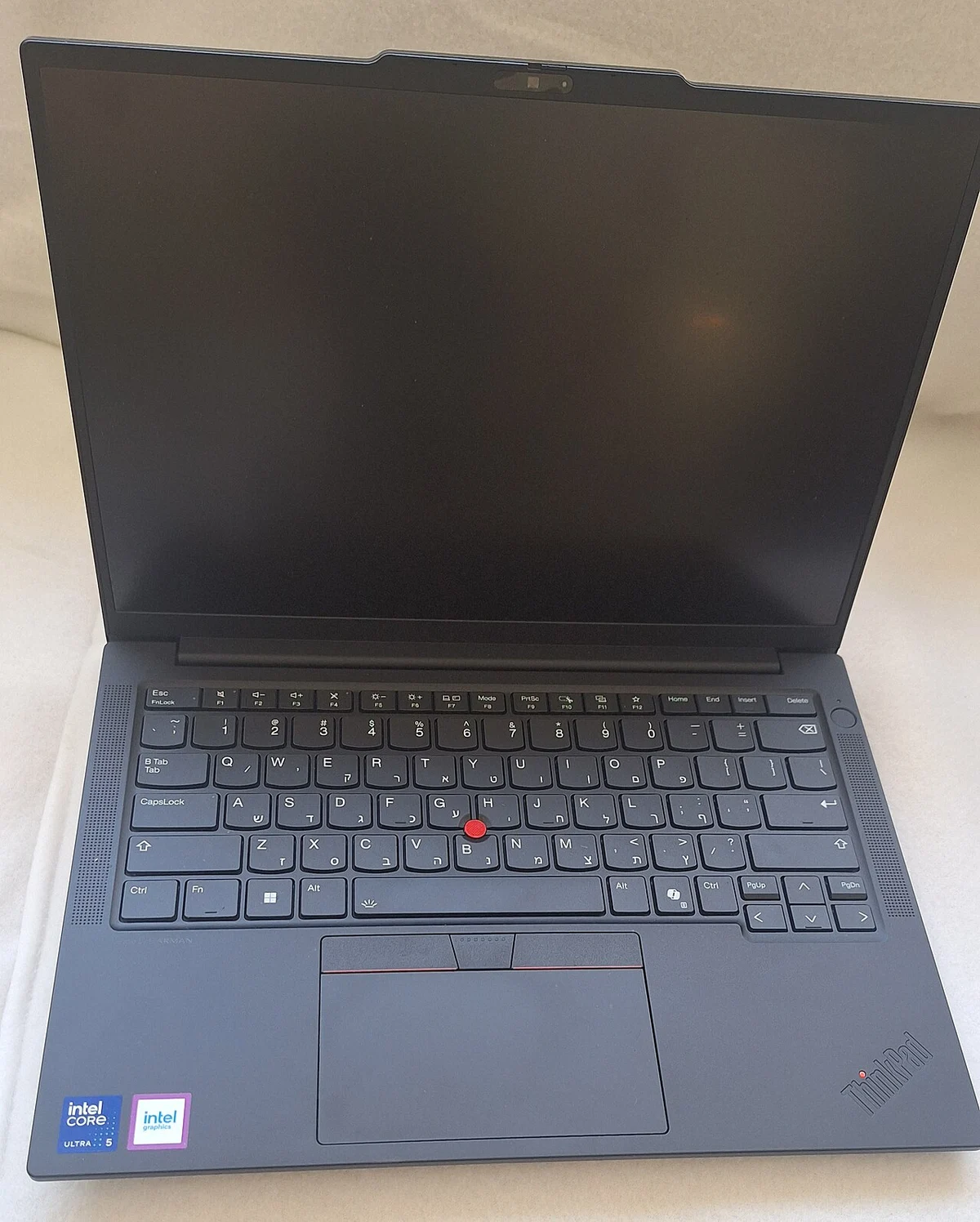
If you are considering an overseas ThinkPad E14 because you found an E14 listing on Lenovo India, ask for the overseas machine type and proof of purchase. Use the overseas machine details for the eligibility check. If you are buying second-hand, ask the owner to show the relevant Lenovo coverage result so you can see the service dates and entitlements for the actual unit.
The location where you need service matters as well as the eligibility result. Once you know the coverage and the destination service method, confirm the service arrangements for your location in India. If Lenovo’s record leaves the imported unit’s eligibility or the treatment of a purchased upgrade unclear, seek confirmation for that machine and destination before making the purchase decision.
Sources
- Lenovo India IdeaPad Slim 3 Gen 8, part number 82XQ01WDIN
- Lenovo India ThinkPad E14 Gen 8 AMD, part number 21Y3S22600
- Lenovo India direct sales order terms, returns and cancellation
- Lenovo India warranty lookup and authorized service locator
- Lenovo warranty services terms effective scope for India and international eligibility
- Open actual ThinkPad E14 family context photo by Rakoon
- Lenovo support international warranty coverage FAQ
- Lenovo India terms for reporting visible damage or shortage
- Lenovo India order support
- Lenovo’s International Warranty Service eligibility FAQ
