Check your device’s input label
Read the input label on the appliance or its power brick. Compare the stated ratings with India’s 230 V, 50 Hz reference supply.
Compatibility checker + guide
Check your device label against India’s 230 V, 50 Hz supply, identify Type C, D and M plugs, and decide whether you need a travel adaptor.
Read the input label on the appliance or its power brick. Compare the stated ratings with India’s 230 V, 50 Hz reference supply.
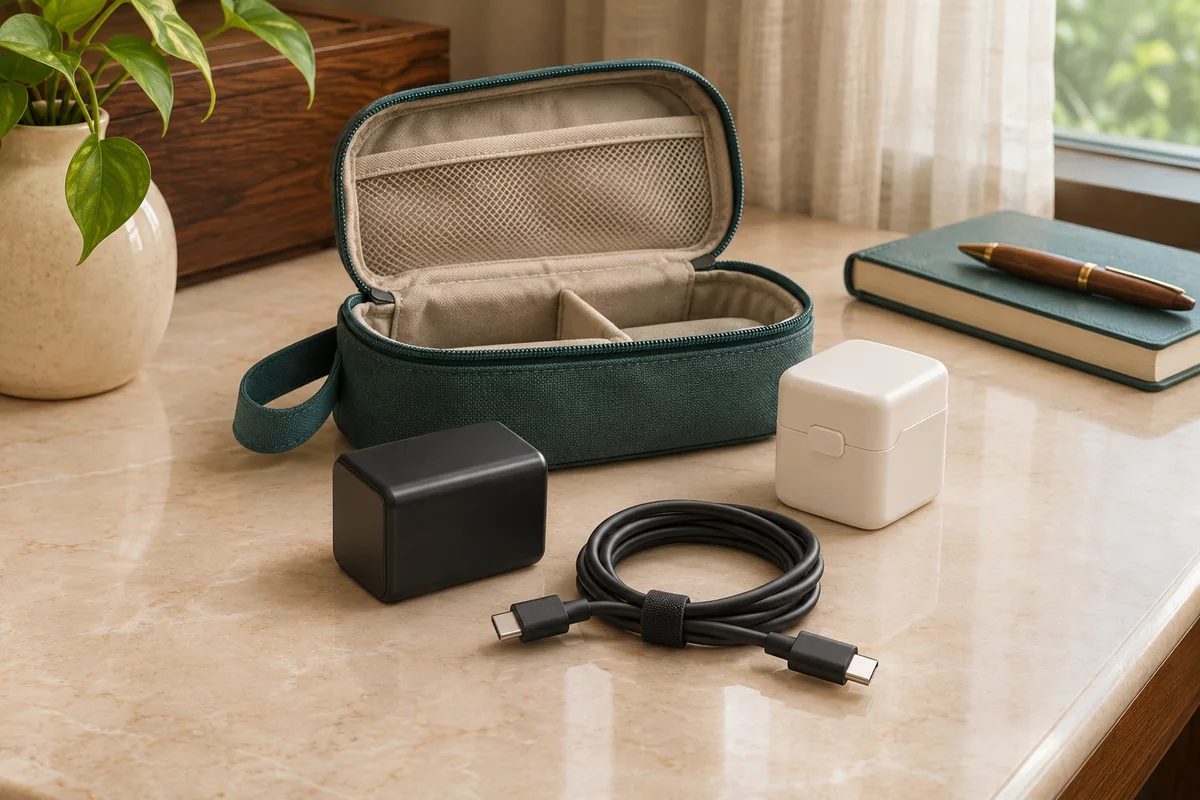
India’s household reference supply is 230 V at 50 Hz, and travel guidance lists plug types C, D and M. If your device label includes 230 V and 50 Hz, use the manufacturer’s guidance for that supply and choose a travel adaptor only if you need one to match the outlet.
Start with the part of your equipment that connects to mains power. On a laptop or phone charger with a separate power brick, read the brick’s INPUT line. On an appliance with a fixed mains cord, look for an input rating on the appliance or in its manual. Copy the voltage and frequency exactly, including any ranges. Two chargers with the same connector at the device end can have different mains input ratings.
Check the wall connection separately. An adaptor needs a socket face that accepts your device’s plug and pins that fit the Indian outlet you expect to use. If the device requires an earth connection, the adaptor and outlet need to carry it through. Check the adaptor’s power rating against the equipment you intend to connect, particularly if you are packing it for several devices.
A traveller packing a phone charger and a hair dryer should read two labels before choosing what to buy. A charger marked 100–240 V, 50/60 Hz covers India’s reference supply. A dryer marked 120 V only has an incompatible mains input, even if both plugs fit the same travel adaptor. Choosing the adaptor around the charger’s plug solves the charger’s physical connection and leaves the dryer’s voltage mismatch unresolved.
India’s household voltage and frequency for 120 V and dual-voltage devices
Type C has two round pins. Types D and M have three round pins, with the pins on Type M larger than those on Type D. The Bureau of Indian Standards describes the three-round-pin Type D plug and identifies IS 1293 for household plugs and sockets. The United Nations participant guide lists all three types for India. Use those shapes to narrow your choice and the actual outlet to confirm it.
Count the holes and look at their arrangement when you have a clear picture of the wall outlet. A three-hole socket calls for another check if your adaptor is sold in separate D and M versions. A photo without a sense of scale can make the two look similar. Ask the property to identify the type on the outlet or confirm which plug they use with it. A manufacturer’s plug drawing can help when a product listing uses only a country name.
Your accommodation sends a photo of a three-round-hole outlet, and you already own a Type D adaptor. The photo establishes the number and shape of the openings. If it leaves the size unclear, get confirmation of D or M before relying on that adaptor. Once the type is confirmed, check that the adaptor also takes the plug on your charger or appliance.
| Type | Pin pattern | What to check |
|---|---|---|
| C | Two round pins | Confirm the outlet accepts the specific two-pin plug. Establish the device’s earthing requirements before choosing a two-pin adaptor. |
| D | Three round pins | Confirm the wall-side plug is Type D, especially if the seller also offers Type M. |
| M | Three round pins, larger than Type D | Look for an explicit Type M designation on the adaptor and confirm the outlet type at the property. |
The technical standard and the device marking serve different purposes. BIS describes IS 1293 as a standard for household plugs and socket outlets up to 250 V and 16 A. It includes several ratings, such as a combined 6/16 A socket category. Read the rating on the actual adaptor and follow its manufacturer’s instructions. The upper limits on the standard do not tell you the capacity of the particular adaptor you are holding.
The mains input label gives you two separate checks. The voltage in volts must include 230 V, and the frequency in hertz must include 50 Hz. On a power brick, the OUTPUT line describes power delivered to the equipment on the other side of the brick. A low output voltage therefore tells you little about which wall supply the brick can accept. Find the line explicitly marked INPUT or look up the input specification for that model.
An input marking of 100–240 V, 50/60 Hz includes both values, so the listed mains ratings cover India’s reference supply. A marking of 220–240 V, 50 Hz also covers both values, despite the narrower range. Once you have established that the ratings fit, the next questions concern the plug, the outlet, earthing and any adaptor’s rating. If a voltage selector is present, check the model’s instructions for its required setting.
A label reading 230 V, 60 Hz covers the voltage but leaves 50 Hz outside the stated frequency rating. Check the exact model’s documentation for an approved 50 Hz rating before connecting it. A travel adaptor passes through the local frequency. Likewise, a label reading 120 V, 50/60 Hz covers the frequency but places 230 V outside the stated voltage rating. Both values matter even when the socket fits.
| Example mains input | What the label establishes | Next check |
|---|---|---|
| 100–240 V, 50/60 Hz | Voltage and frequency are covered | Outlet fit, earthing and adaptor rating |
| 220–240 V, 50 Hz | Voltage and frequency are covered | Outlet fit, earthing and adaptor rating |
| 120 V, 50/60 Hz | Voltage is outside the marked rating | Manufacturer-approved power option or a compatible replacement |
| 230 V, 60 Hz | Frequency is outside the marked rating | Model-specific documentation for 50 Hz operation |
| Input label missing or illegible | Compatibility is undetermined | Manufacturer input specifications for the exact model |
Apple gives 100–240 V AC at 50–60 Hz for the compatible power adaptors covered by its travel adaptor kit guidance. That is an example of a manufacturer publishing the same fields the checker asks for. Make sure you look up the adaptor itself, especially if you replaced the original one or share a charger between devices.
A travel adaptor changes the physical connection and passes through the outlet’s voltage and frequency. It can be enough when the device already accepts the local supply and needs a different plug shape. If the existing plug matches the outlet, check that it can connect as the manufacturer intends, including any required earth connection. In that situation there may be no reason to add a travel adaptor.
Read the ratings on the adaptor itself or in its manufacturer’s specifications. Compare the supported load with the appliance’s wattage and check that any conditions on use apply to your setup. If the adaptor has more than one outlet and you intend to use several at once, look for a total load rating as well as any limits on individual outlets. A product name that says it works in India gives you little information about those ratings.
A laptop’s power brick covers 230 V and 50 Hz, and its manufacturer specifies an earthed connection. The adaptor on sale accepts the laptop plug and matches the hotel outlet, but its documentation gives no information about earth continuity. The two physical matches leave an important requirement unresolved. Check the manufacturer’s specifications for earthing and the adaptor’s load rating before treating it as suitable for that power brick.
If the manufacturer offers a compatible local mains lead for a power brick with a detachable cord, that gives you another way to match the outlet. Verify the exact brick model, the connector on the brick, the wall plug type and any earthing requirement. The brick still needs its own input rating for the local supply.
A 120 V-only appliance is unsuitable for direct connection to India’s 230 V supply. A travel adaptor leaves that voltage mismatch in place. For a device with an external power supply, check whether the equipment manufacturer offers an approved supply for 230 V, 50 Hz. For an appliance that takes mains power directly, a locally compatible replacement may be easier to verify than a separate voltage converter, particularly if you only need the appliance during a trip.
If you are considering a converter, get the appliance and converter manufacturers’ specifications before choosing one. Check the converter’s supported input and output, suitability for the appliance, power rating and any earthing requirements. Verify frequency separately. When the converter’s documentation specifies voltage conversion alone, you still need to establish that the appliance can operate at the frequency it will receive. Ask the appliance manufacturer if the permitted combination is unclear.
A hair dryer marked 120 V, 60 Hz has both a voltage and a frequency discrepancy when compared with India’s reference supply. Finding a product that advertises a 120 V output resolves only the question of what voltage it claims to provide. You still need confirmation that the combination supports the dryer’s frequency and load. If the accommodation provides a dryer designed for its outlets, that is a practical alternative to verifying a converter for the one you own.
The national supply figure is a planning reference. A country-level plug list gives you possible outlet types, while the property can tell you which socket is available at the point of use. If you need to charge at a desk or beside a bed, ask about the outlet in that location. For an earthed device, ask whether an earthed outlet is available there and confirm that your proposed adaptor supports the connection.
A hotel description says the rooms have international sockets. Ask the property whether the outlet in your room accepts your specific plug and supports its earth connection if required. Send the plug type or a photo of the plug exterior if that makes identification easier. If they are describing a built-in USB port or an adaptor available at reception, ask for the relevant specifications so you can decide whether it meets the same need.
For a purchase, verify the exact product variant in the manufacturer’s specifications. Listings that group several wall plugs under one product can show a different variant in the main photo from the one selected. Check the wall-side plug, the socket face, load ratings and earthing for the option you intend to buy. If a detail is still uncertain, record which one. An unknown outlet affects the fit decision, while a missing device label leaves electrical compatibility unresolved.
Use the checker with the adapter or appliance you will actually plug in. It compares the stated mains voltage and frequency with India’s 230 V, 50 Hz reference supply. If a value cannot be verified from the input label, use the exact manufacturer model to look up the missing specification. Confirm the plug shape, the actual outlet, the adaptor rating and any required earth connection separately. Those checks depend on physical equipment and its documentation.
A charger is marked 100–240 V, 50/60 Hz and has a two-round-pin Type C plug. The property confirms its available outlet accepts that plug, and the charger’s documentation specifies a two-pin connection. The reference supply falls within the charger’s ratings and the plug fits the confirmed outlet, so this combination needs no travel adaptor. If a second property confirms a socket that requires an adaptor for that plug, the supply check still passes and the connection decision changes.
When a check is incomplete, use the missing detail to decide what to verify next. A confirmed plug fit with a 60 Hz-only label calls for model-specific frequency documentation. A confirmed 230 V, 50 Hz rating with an unidentified three-round-hole outlet calls for a socket identification. A compatible supply and known outlet still leave a question if the only adaptor available has an undocumented load rating or earth connection. Each answer applies to that specific combination of device, adaptor and outlet.