Dimensional weight estimator
Enter the outside dimensions and divisor from your carrier’s quote instructions. Apply your service’s measurement rounding first.
Tutorial + troubleshooting guide
Find the correct TrackDart input, read older tracking and service restrictions, and compare Blue Dart chargeable-weight examples.
Open official Blue Dart TrackDartEnter the outside dimensions and divisor from your carrier’s quote instructions. Apply your service’s measurement rounding first.
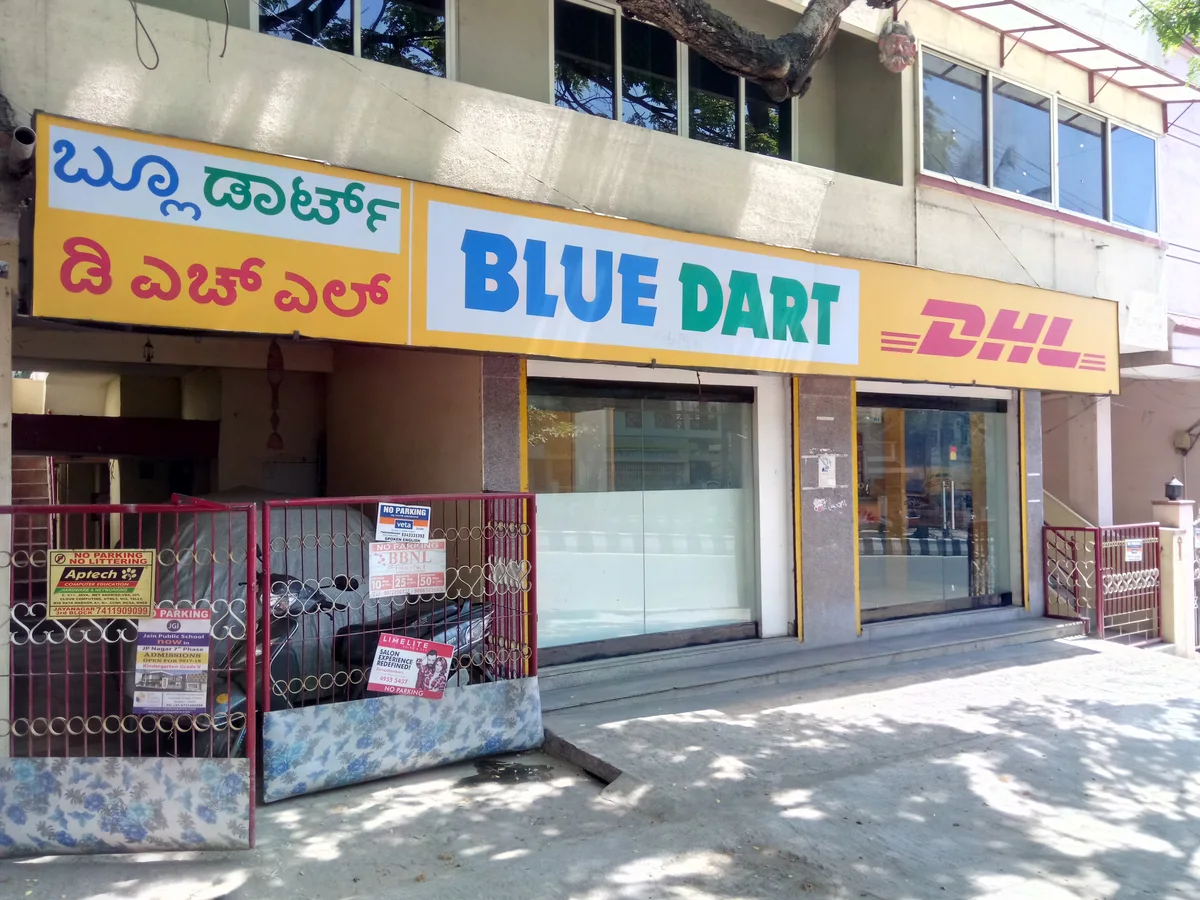
To track a Blue Dart parcel in India, open TrackDart on the official Blue Dart site and choose Waybill for the carrier’s shipment number or Ref. No. for an order reference enabled by the sender. If a lookup returns no record, check the identifier type and dispatch details first, and allow for the possibility that an inbound international parcel will only show Blue Dart scans after formal entry into India.
Start with the dispatch message, shipping receipt or label. The field name printed next to the number is the clearest clue to which TrackDart option to use. A retailer can show an order number as soon as you buy something and provide the courier waybill later in a separate dispatch message. A return or exchange can also have a separate dispatch record, so check which journey the document describes before copying the number.
Enter the identifier in the corresponding field, complete the on-site check if it appears, and submit the search. If you copy from a message that contains several numbers, check that you picked up the actual value beside the label. An order confirmation, invoice and shipping notification may all refer to the same purchase while giving you different identifiers.
For an order split across two packages, use the dispatch details for the item you’re waiting for. The first package’s waybill can return a perfectly valid result while telling you nothing about the second. If the retailer’s screen only shows a summary for the whole order, ask which shipment record covers the missing item and whether that record has a Blue Dart waybill.
| What you have | What to do |
|---|---|
| A number labelled Waybill or AWB by Blue Dart or the sender | Choose Waybill and enter that number. |
| An order or reference number enabled for Blue Dart tracking | Choose Ref. No. and enter the enabled reference. |
| A retailer order number with no tracking instructions | Ask for the Blue Dart waybill or confirmation that reference tracking was enabled. |
| Separate dispatch records for an original order and a return | Use the identifier on the dispatch record for the parcel you want to locate. |
An empty lookup gives you very little information about where the parcel is. Establish whether the sender has confirmed dispatch with Blue Dart and which identifier they expect you to search. The Ref. No. option works only when the shipment was set up for reference tracking. If you have a waybill in the dispatch record, searching by that number removes the dependency on how the retailer configured its order reference.
Suppose a seller’s order page says the parcel has shipped and the only number shown is the store’s order ID. A blank Ref. No. search leaves two useful questions for the seller. Ask for the Blue Dart waybill and the dispatch date. Those details let you search a carrier identifier and establish how old the shipment is, even when the order page gives little information about the courier handover.
When you already have a confirmed waybill, recheck it against the original dispatch notice and make sure you selected Waybill. A recent domestic shipment, a parcel entering India from abroad and an older consignment have different reasons for a gap in the public record. Use the sender’s dispatch details to establish which situation applies before deciding whether to wait for another update or contact support.
If the message you see comes from the site’s on-screen check, complete that step and resubmit before interpreting the outcome. Once the search has run, keep the wording of the result and the date you looked it up. If the sender or Blue Dart needs to investigate, that gives them a clearer starting point than a general report that tracking is broken.
When TrackDart shows a history, read the event text alongside its timestamp and any location the page displays. Use the sequence to establish the last movement or milestone shown on the record. The date of the latest scan tells you how recent that information is. The date you refreshed the tracking page tells you when you saw it, which can matter when you compare an old screenshot with a newer update from the seller.
A location in the history describes the event beside it. A scan at a sorting point may appear while the parcel still has another leg to travel, and a gap after that scan leaves its current location uncertain. If you need to ask Blue Dart about it, quote the event and its time as displayed. That gives the operator the exact update you’re trying to interpret without requiring you to guess what happened in between.
A shop’s estimated arrival date and the carrier’s scan record answer different questions. Keep the seller’s estimate handy if it gave you a delivery commitment. Blue Dart describes the output of its public transit estimator as an estimate that depends on serviceable locations, actual tendering and cutoffs, carriage conditions and any clearance. A ScanDart-free way to check a delay is to put the seller’s expected date next to the latest TrackDart event and ask the party that issued the date for an update.
If tracking shows delivery and you cannot locate the parcel, verify that the waybill belongs to the missing item. Check with whoever normally accepts parcels at the address, such as a reception desk or someone in your household, if that applies. Then report the discrepancy to Blue Dart or the seller with the displayed event and time. Ask what delivery details they can verify for that shipment.
For a parcel coming into India, establish the country of dispatch, the Indian destination and which carrier the sender named for each leg. Blue Dart’s tracking instructions say scans for inbound parcels delivered by Blue Dart may appear only after formal entry into India. If you are checking before that point, the sender’s tracking record for the overseas leg may be the only source showing movement so far.
Suppose an overseas seller gives you a dispatch number and says Blue Dart will deliver in India. Ask whether that first identifier belongs to the origin carrier and whether a Blue Dart waybill has been issued for the Indian leg. If the sender provides both, follow the origin carrier’s record for overseas events and use the Blue Dart waybill on TrackDart to check for Blue Dart events.
For a shipment leaving India, verify the international service and destination carrier with the shipper. Blue Dart’s tracking overview describes TrackDart coverage for Blue Dart consignments in India, Nepal, Bangladesh and Bhutan. The wider DHL Group network listed on Blue Dart’s company factsheet spans more than 220 countries and territories. For any particular parcel, the dispatch record is what ties a tracking number to the carrier responsible for the leg you want to follow.
Treat entry into India, clearance and a delivery update as separate details to verify when the international record is sparse. The inbound tracking note explains when Blue Dart visibility may begin. It supplies no timing for an individual handover. If the origin record stays at the same event and the Indian lookup is still empty, ask the sender for the latest confirmed handover or clearance information and which carrier can check it.
Read the booked service on the receipt or confirmation before applying a delivery expectation to the parcel. Blue Dart describes Domestic Priority as express delivery for documents and parcels, with next-day delivery possible on select routes. Domestic Priority 1200 is a separate product with a noon target on the next possible business day. Blue Dart specifies eligible origins and destination PIN codes, and the service is subject to local cutoffs and vehicle or flight arrival conditions.
| Service or Price Finder label | Published weight or limit | What to verify |
|---|---|---|
| Domestic Priority | Price Finder minimum 0.5 kg | Next-day possibility is route-specific. The 1200 product has its own cutoff, origin and destination terms. |
| Air Express Package / Price Finder Dart Apex | 10 kg minimum in the applicable product and Price Finder | Match the booking name and exact lane. |
| Surface / Price Finder Dart Surfaceline | 10 kg minimum in the applicable product and Price Finder | Scheduled ground route and the relevant handling terms. |
| eCom Lite Surface | No general walk-in weight or price on the public guide | Check customer, route and contractual eligibility. |
| Airport-to-Airport | Price Finder minimum 5 kg | Verify service availability and final tariff. |
The distinction matters if a merchant describes a parcel as express and you are trying to tell whether a noon delivery was due. Look for Domestic Priority 1200 on the booking record or ask the sender what they paid for. Even with that product name confirmed, use the origin, destination PIN code and actual tendering time when asking Blue Dart to verify the delivery terms for that booking.
Descriptions on older documents can differ from current product guides. Blue Dart’s newer guides describe Air Express Package as a domestic day-definite air service for shipments of 10 kg and above, and Surface as scheduled ground distribution for shipments of 10 kg and above. An older document can use Dart Surfaceline. Blue Dart also formally announced on 13 September 2023 that Dart Plus was renamed Bharat Dart. If the wording is unclear, use the exact printed service name when asking the sender to check the booking.
To verify route information yourself, use Blue Dart’s Location Finder to check the service at both ends by PIN code or place name. Its Transit Time & Price Finder takes the service, origin and destination city and intended pickup date and time. That gives you an estimate under the inputs you used. For a parcel already moving, compare those inputs with the actual booking details and use TrackDart for the shipment’s scan history.
To check the dimensional figure, consider a carton measuring 40 × 30 × 20 cm and weighing 2 kg on a scale. Using the Domestic Priority terms’ 5,000 divisor gives 4.8 kg before carrier rounding. The separately stated domestic Surfaceline convention takes ten kilograms per 30 × 30 × 30 cm. With those units it gives about 8.89 kg, below the minimum charged weight of 10 kg shown by Price Finder for Dart Surfaceline. Use 2,700 as the equivalent centimetre divisor only for this stated Surface convention. The estimator shows the dimensional comparison. The carrier applies the route’s floor, rounding and acceptance rules.
The airport and location lookup can resolve whether a proposed service covers both ends of the journey. Start with the actual pickup and destination PIN codes in Blue Dart’s own finder, then use its transit and price pages for the service and intended tender date. For an existing shipment, use the product printed on the waybill so the comparison matches what the sender booked.
Blue Dart gives two different tracking windows on its public pages. The TrackDart how-to says 45 days from dispatch, and the tracking overview says 90 days from dispatch. Keep the dispatch date in view when looking for an older record. A parcel can fall between those two published figures, and a blank search on its own cannot establish whether the record has aged out or whether the search details need correcting.
For an older consignment that no longer comes up, ask Blue Dart whether it can retrieve shipment information for your waybill and dispatch date. The sender may also have the original dispatch record or a saved update that answers your question. If you need confirmation for a specific purpose, state what you need to establish, such as whether the carrier recorded delivery, so the person helping you can check for the relevant information.
Contact the sender first if the dispatch record is missing, the order reference brings up nothing, or the shipment belongs to a purchase split across packages. Contact Blue Dart when you have the waybill and a specific issue with the carrier record, such as a scan that needs clarification or a delivery event you cannot reconcile. For an international parcel, include the origin and destination and say which carrier supplied the last update.
Blue Dart’s pickup and support page lists 02240611234 and 08046611234. Check the operator’s current Call Us page before dialling, since older product pages can carry a different number. Have the dispatch date, waybill and last visible event ready for the call. If the search is blank, say which of the two lookup fields you used and where the identifier came from.
